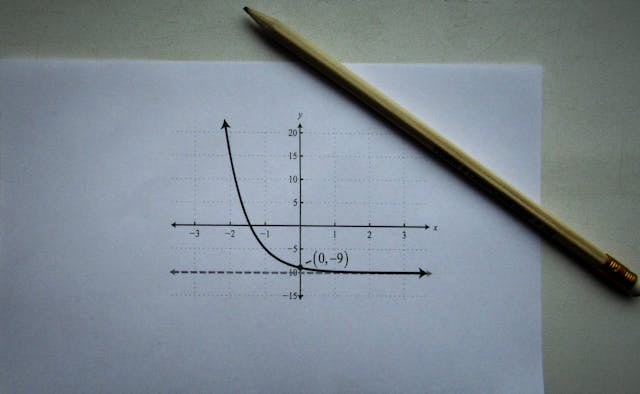
Algebra is the foundation of higher mathematics, but solving equations, factoring polynomials, and simplifying expressions by hand eats up time and invites small errors. An algebra calculator does the heavy lifting — whether you are a student checking homework, a professional solving work problems, or an adult refreshing math skills. The key is knowing what it can do and how to read its output.
Use the free Algebra Calculator at Today Calculator for step-by-step solutions to linear equations, quadratics, factoring, and systems of equations.
What an Algebra Calculator Can Do
- Solve linear equations: ax + b = c → find x instantly
- Solve quadratic equations: ax² + bx + c = 0 → get both roots
- Factor polynomials: break complex expressions into simpler factors
- Simplify expressions: combine like terms and reduce to simplest form
- Solve systems of equations: handle multiple variables at once
- Work with exponents and radicals: powers, roots, and scientific notation
Common Problems and How the Calculator Solves Them
1. Solving Linear Equations
Example: 3x + 7 = 22. Subtract 7 from both sides to get 3x = 15, then divide by 3 to find x = 5. The algebra calculator does this in one step and shows the work, so you can see exactly where your own attempt went wrong.
2. Solving Quadratic Equations
Example: x² − 5x + 6 = 0. Using the quadratic formula x = (−b ± √(b² − 4ac)) / 2a with a = 1, b = −5, c = 6: the discriminant is 25 − 24 = 1, so x = (5 ± 1) / 2, giving x = 3 or x = 2. Enter the equation and the calculator returns both roots with each step visible.
3. Factoring Polynomials
Example: x² + 7x + 12. Find two numbers that multiply to 12 and add to 7 — that is 3 and 4 — so the factored form is (x + 3)(x + 4). The calculator handles harder cases too: cubes, quartics, and expressions with multiple variables.
How to Use the Calculator Effectively
- Open the Algebra Calculator.
- Type or paste the equation exactly as written (use ^ for exponents, e.g. x^2).
- Review the step-by-step output — do not just copy the final answer.
- Compare each step against your own work to find where you diverged.
- Use it to verify practice problems before an exam, not as a shortcut to skip learning.
When to Use an Algebra Calculator
| Situation | Why the Calculator Helps |
|---|---|
| Homework check | Verify answers instantly and see the correct method |
| Test prep | Practice variations without waiting for a tutor |
| Work calculations | Solve formula-based problems in finance, engineering, and data analysis |
| Refreshing math skills | Step-by-step output rebuilds confidence in the process |
Whether you are stuck on one equation or want to double-check a full page of homework, the free Algebra Calculator gives you the answer and the method — so the next time you see the same problem, you will not need it.
Related Articles:
 Mortgage Calculator: How to Calculate Monthly Payments, Interest Costs, and Loan Affordability
 Investment Calculator: How to Calculate Your Investment Growth and Estimate Future Returns
Salary Calculator: How to Calculate Annual Salary from Hourly Wage (and Vice Versa)
World Clock: How to Track Time Zones for Remote Meetings and Travel
Investment Calculator: How to Calculate Your Investment Growth and Estimate Future Returns
Salary Calculator: How to Calculate Annual Salary from Hourly Wage (and Vice Versa)
World Clock: How to Track Time Zones for Remote Meetings and Travel
Leave a Reply
You must be logged in to post a comment.